
MINECRAFT · JAVA 1.21.1
Minecraft nether fortress finder
Search around a Nether location for fortress candidates, then plan access through the actual terrain rather than following a straight line blindly.
Set up the search
Enter your numeric seed for a default Java 1.21.1 world. This form starts with Nether Fortress in the Nether. Set Center X and Center Z to the area you want to search, then choose Find on map. The finder looks within 2,048 blocks of that center and orders predicted locations by horizontal distance.
Use View to center on a result and Copy XZ to keep its horizontal coordinates. The marker identifies a predicted starting chunk. It does not identify an entrance, promise a complete structure or supply its internal layout.
Start from your Nether-side location
This form opens the Nether and selects Nether fortress. Use the coordinates where you enter or travel in the Nether. Entering an Overworld base’s X/Z without choosing a meaningful Nether starting point can rank results around the wrong area.
Minecraft’s structures overview describes fortresses as large Nether structures associated with blazes, wither skeletons and nether wart. The finder predicts a starting area; it does not enumerate rooms, bridges, mob spawners or the contents of your current save.
Understand the flat biome view
The Nether uses a horizontal biome slice on this website. It is not a solid-block map and does not reproduce the roof, cave passages, lava surfaces or walls. Two points that appear close in the slice can require a much longer route through the actual dimension.
Changing Y changes the sampled biome layer. It does not locate the fortress floor or certify a safe path. Keep the distinction clear before using a screenshot as a route plan. The optional Overworld 3D renderer is not a Nether cave renderer.
Compare more than one candidate
Search from your Nether arrival point, open a result and record its X/Z. Then compare another candidate before investing in a long path. If one is 400 horizontal blocks away and another is 550, the shorter result is not automatically easier to reach.
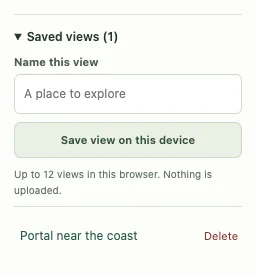
Those distances are an illustrative decision, not measurements for the demonstration seed. Inspect the actual obstacles and keep a return route. A copied link preserves the search context for a teammate, while a named save helps you return to it on the same browser.
Fortresses and bastions need separate searches
A fortress is not a bastion remnant. Use the bastion finder for that structure and compare the two results only after establishing the same Nether starting point. Neither marker provides a complete interior plan.
An empty 2,048-block search radius means no candidate was returned there, not that the entire Nether lacks fortresses. Move the center and repeat. When checking a mismatch, include Nether coordinates and the correct dimension; an Overworld screenshot alone cannot establish what should appear below.
Check a result and keep the context
Confirm the seed, Java 1.21.1, dimension and the generation history of the target chunks. If the location matters to a long-term plan, compare it in a separate matching world before committing. A surface tree or block texture is an illustration, not a surveyed entrance.
Save a named view or copy a full map link with the seed and coordinates. For a discrepancy, include the map point and the position checked in-game using Help & troubleshooting. See the compatibility checklist when an older or modified world differs.
Game background: Minecraft’s nether fortress information.
Keep exploring
All Minecraft seed guides · Map controls with screenshots · Troubleshoot a mismatch