
MINECRAFT · JAVA 1.21.1
Minecraft stronghold finder
Find a predicted stronghold area in Java 1.21.1 and plan the trip without mistaking a map marker for the End portal room.
Set up the search
Enter your numeric seed for a default Java 1.21.1 world. This form starts with Stronghold in the Overworld. Set Center X and Center Z to the area you want to search, then choose Find on map. The finder looks within 2,048 blocks of that center and orders predicted locations by horizontal distance.
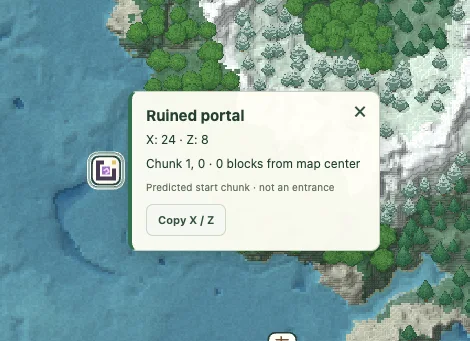
Use View to center on a result and Copy XZ to keep its horizontal coordinates. The marker identifies a predicted starting chunk. It does not identify an entrance, promise a complete structure or supply its internal layout.
Search the Overworld, even when your goal is the End
Strongholds are underground Overworld structures used to reach the End. Keep this search in the Overworld. Choosing the End dimension would look for a different kind of structure after the journey has already begun.
Java strongholds follow a ring arrangement around the world origin, as described in Minecraft’s stronghold article. The origin is X 0, Z 0; it is not interchangeable with a player’s spawn or base. A small local search may therefore return no stronghold even though the world contains them.
Use the marker as an area to investigate
The returned X/Z point represents the predicted starting chunk. It is not the portal-room coordinate, an entrance or a safe digging depth. A terrain inspection Y value belongs to the surface above, and the optional 3D view does not reveal the underground rooms.
If you use Eyes of Ender in the game, treat that as an in-game navigation method alongside the map. The official guide explains their direction-finding role. Keep enough context to compare the same world and location rather than expecting every navigation anchor to be the identical block.
Work outward when a local search is empty
Start from the coordinates you plan to travel from. If no candidate is found within 2,048 blocks, move the center into another area and search again. For example, changing the center from X 0 to X 2,048 shifts the searched circle east; it does not change the seed or force a stronghold to appear.
Record centers already checked and compare actual result coordinates. Two overlapping searches may return the same candidate. A blank radius is a statement about that search, not the whole seed.
Before committing to an End route
Plan the surface trip separately from finding a route below ground. Verify the candidate in the matching world if your server’s progression depends on it. The finder does not promise a complete portal frame, count filled eyes, show libraries or locate chests.
After reaching the End, use the End city finder for a separate outer-island search. Keep the dimension in every saved note so an Overworld destination is not mistaken for an End coordinate.
Check a result and keep the context
Confirm the seed, Java 1.21.1, dimension and the generation history of the target chunks. If the location matters to a long-term plan, compare it in a separate matching world before committing. A surface tree or block texture is an illustration, not a surveyed entrance.
Save a named view or copy a full map link with the seed and coordinates. For a discrepancy, include the map point and the position checked in-game using Help & troubleshooting. See the compatibility checklist when an older or modified world differs.
Game background: Minecraft’s stronghold information.
Keep exploring
All Minecraft seed guides · Map controls with screenshots · Troubleshoot a mismatch