
JAVA 1.21.1 · EXPLORATION
A shipwreck stop on the way to a stronghold
A shipwreck near the origin, a village farther east and a stronghold beyond it make a useful route to compare at two map scales.
-987654321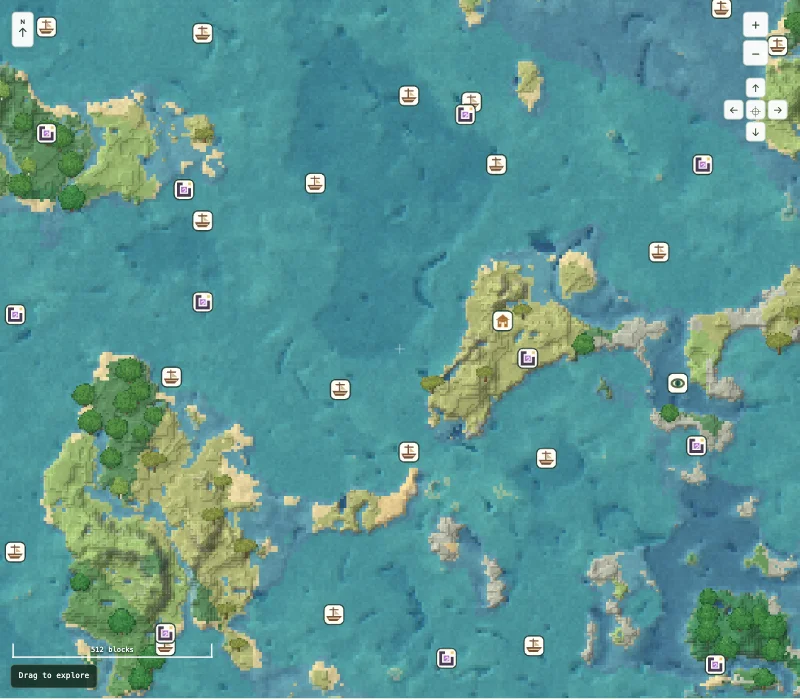
Use the village as a waypoint, not a spawn claim
The shipwreck marker at X 56, Z 200 is close to the ruined portal marker at X 136, Z 8. The village is farther east at X 904, Z 56. These separate stops let you plan a short initial visit or a longer exploration journey without changing worlds.
The stronghold start is east of the village at X 1352, Z 216. Its map icon represents an underground starting chunk; it is not an exposed portal room or a promise that the portal is ready to use. Zoom in around the destination before choosing how to approach it.
Checked places to visit
These are the centers of structure start chunks confirmed in a freshly generated official Java 1.21.1 world. A doorway, chest or underground room can lie elsewhere. X and Z alone do not tell you a safe Y height.
| Place | X | Z | Chunk X, Z | Explore |
|---|---|---|---|---|
| Shipwreck | 56 | 200 | 3, 12 | View on map |
| Ruined portal | 136 | 8 | 8, 0 | View on map |
| Village | 904 | 56 | 56, 3 | View on map |
| Stronghold | 1352 | 216 | 84, 13 | View on map |
The village and stronghold markers are about 476 blocks apart horizontally. From the shipwreck to the village is about 860 blocks. Both are map distances, not measured travel routes.
Before you choose this world
Stronghold interiors and portal-room coordinates are not part of this article’s checks. Keep the full negative seed intact. Large numeric seeds can be rounded by spreadsheet or messaging software if treated as numbers instead of text.
Use default Java 1.21.1 generation with structures enabled. This article does not verify Bedrock, newer versions, mods or chunks carried over from an older world. The map center is a planning reference, not a promise about your starting spawn.
Open it in Minecraft
- Create a new Java 1.21.1 world and paste the full seed, including a minus sign if present. Leave world generation at its default settings.
- Keep the map open beside the game. Use the X/Z table to plan your route and check the local terrain before travelling.
- Save a view when you find an area you like. A shared map link preserves the location; copying just the seed does not.
For coordinate help, read coordinates and chunks. If the world differs, follow the mismatch checklist.
What was checked
Locations checked on 1 November 2026. The named structure starts were read from fully generated chunks made by the official Java 1.21.1 server. This confirms those locations in that setup; it does not verify every marker, cave, chest item or tree across the seed. The image is a capture of our map, not an in-game photograph.
Read how to interpret the map and browse more checked seed routes.